



How Much RAM You Actually Need in 2026, From Everyday Work to Local AI
Introduction
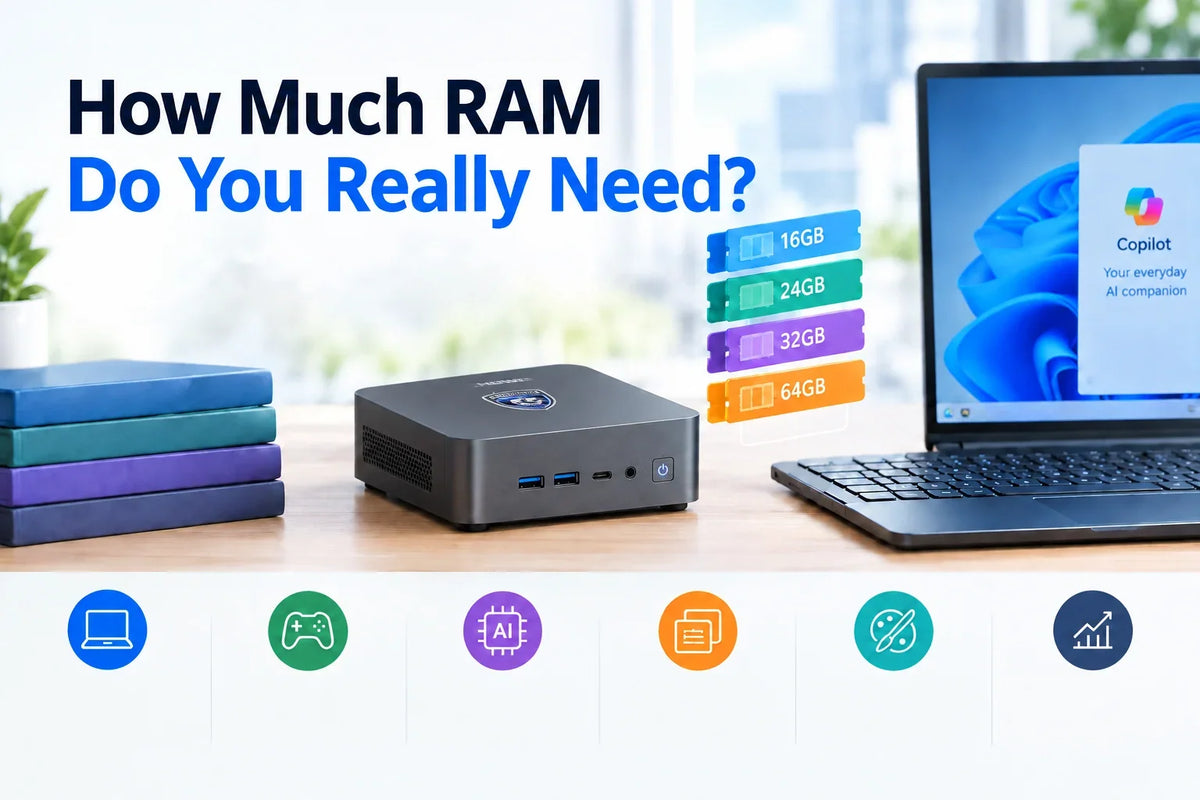
16GB of RAM is enough for everyday work, while 32GB gives you a better experience for gaming, creative work and heavy multitasking. For running local AI models, hosting several virtual machines or working on complex video projects, go for 64GB. If you choose a mini PC with integrated graphics, aim for the upper end of these guidelines, since the graphics system takes up part of the RAM.
Bear in mind that your RAM needs depend on how many apps and processes you run at the same time, not just on your most demanding app. In other words, multitasking needs more RAM.
Memory supply is expected to stay tight throughout 2026 as manufacturers prioritise production for AI servers. TrendForce expects conventional DRAM contract prices to rise by 10–15% in the final three months of the year.
16GB vs 32GB vs 64GB RAM at a Glance
|
|
16GB |
32GB |
64GB |
|
Typical fit |
Browsing, office work, streaming, calls |
One PC for work, play and creating |
Local AI, virtual machines, large video projects |
|
Multitasking |
Fine with a moderate number of tabs and apps |
Copes well with lots of apps open |
Very heavy, parallel workloads |
|
Gaming |
Many games run fine, but with little headroom |
Recommended for newer games plus background apps |
Rarely adds frames per second over 32GB |
|
Creative work |
Light photo editing |
Photo editing, 1080p–4K video editing |
Long 4K/8K video projects with heavy effects |
|
Local AI & virtual machines |
Small models (≈7–8B parameters) |
Mid-size and Mixture-of-Experts models; 1–2 virtual machines |
Dense models (≈30B+ parameters), several virtual machines |
|
Integrated graphics headroom |
Little headroom (graphics takes a share of RAM) |
Moderate headroom |
Plenty of headroom |
|
Upgrade note |
Avoid if memory is soldered |
A good default; check whether it’s upgradeable |
Usually an upgrade or a premium configuration |
Which Capacity Suits the Way You Use Your PC?
Let’s take a closer look at how much RAM common PC users actually need.
16GB: Everyday Computing and Light Multitasking
16GB covers day-to-day browsing, office tasks, streaming, video calls and light gaming. That said, it starts to reach its limit if you have dozens of browser tabs open, a video call running and a demanding office app on the go. 16GB of RAM is also tight if your PC uses integrated graphics, since some of the memory is reserved for the graphics.
Microsoft requires at least 16GB of DDR5 or LPDDR5 memory for Copilot+ PCs. Standard Windows 11 PCs have a lower minimum requirement, but 16GB is a more sensible starting point for a new PC in 2026.
The iX5 Max comes with 16GB of soldered dual-channel memory, which makes it a good match for office work, browsing and streaming. Only choose it if you expect your workload to stay in this range, though, as you can’t expand the memory later.
24–32GB: The Sensible Choice for an All-Rounder PC
24–32GB gives you enough memory to run games and Discord at the same time, edit photos, program with Docker or an integrated development environment (IDE), or run a local AI server alongside your browser.
32GB of RAM stands out as a particularly sensible choice for a modern PC you plan to keep for several years. As applications demand more memory, you can be confident your PC has the headroom to keep up. The iX7, AX7 Max and AX9 Max mini PCs start at 32GB on SO-DIMM modules, which are upgradeable memory sticks.
Many soldered-memory systems, such as the iX9 Max, offer 24 GB. It’s well suited to office work, software development and creative work, but leaves less headroom for running local AI.
64GB: When More Memory Pays Off
64GB is ideal for complex photo and video projects, including long 4K and 8K timelines. It’s also essential if you plan to run several virtual machines or dense local AI models with 30 billion or more parameters.
However, 64GB offers little benefit over 32GB for browsing or most games.
Many systems reach 64GB of RAM by upgrading their SO-DIMM memory sticks. This is possible on the iX7, AX7 Max and AX9 Max, but not on models with soldered memory.
Is 16GB Enough for Gaming in 2026?
When it comes to 16GB for gaming, there’s an important difference between getting a game to launch and actually enjoying smooth gameplay, especially if you have a browser, Discord or other apps open at the same time.
Many games are playable on 16GB of RAM, but you may notice stuttering as your system struggles to deliver a consistent frame rate (FPS). That’s particularly true of newer games and memory-hungry genres such as simulation and strategy titles. Memory can also become a bottleneck if you want to record or stream your gameplay.
Choosing 32GB of RAM can help prevent stuttering and let you run other apps at the same time. But it only helps if memory is genuinely the bottleneck, rather than your CPU or another component.
Remember that on a mini PC with integrated graphics, game textures are also stored in your system RAM. We explain why this matters in the next section.
How Integrated Graphics and Local AI Change the Answer
If your system has integrated graphics or you run local AI models, you may need more RAM. Here’s why.
Integrated Graphics Share Your System Memory
Unlike a dedicated graphics card, which has its own memory, integrated graphics draw on your system RAM. That means if you have a mini PC with 16GB of RAM and integrated graphics, you actually have less than 16GB available for gaming and other apps, because the graphics system is borrowing some of it.
Different systems handle this memory sharing in different ways. For example, AMD’s Variable Graphics Memory lets Ryzen AI systems reserve a larger share of RAM for the Radeon GPU, while Intel Arc integrated graphics share memory dynamically through Windows. Exactly how memory is allocated to graphics depends on your platform, BIOS and drivers.
Here’s an example of how 32GB of RAM might actually be used on a system with integrated graphics. As you can see, once the operating system and integrated graphics have taken their share, you might only have around 20GB left for other apps.

If you have an integrated GPU, two matched RAM sticks are often a better choice than a single large module. On mini PCs with integrated graphics, a dual-channel memory configuration can improve memory bandwidth and graphics performance, because the processor can communicate with both sticks at the same time. If your system has two SO-DIMM slots, check whether a matched pair of modules is recommended for your specific model. With just one RAM module, bandwidth between the GPU and RAM can become a bottleneck.
Local AI: Model Size Decides How Much Memory You Need
When it comes to running local AI models, model size is the main factor that determines how much RAM you need.
|
Model size (parameters) |
Approx. model file (Q4) |
Indicative total system RAM |
|
7–9B |
≈5–6GB |
16GB can work; 32GB is more suitable |
|
12–14B |
≈8–9GB |
16–32GB, depending on context length and other apps |
|
26–35B (incl. Mixture-of-Experts models) |
≈15–21GB |
32GB or more |
|
70B |
≈40GB+ |
64GB or more; expect slow responses on integrated graphics |
Importantly, RAM capacity determines what size of model will run on your system, while GPU compute and memory bandwidth determine how quickly it responds. Adding more RAM won’t speed up inference.
Mixture-of-Experts (MoE) models only activate a subset of their parameters for each token, which can reduce computation compared with dense models of a similar total size. That’s why they can feel much faster than their size suggests. However, they still need enough RAM to hold their full set of weights, and inference speed still depends on memory bandwidth, hardware and software optimisation.
Treat these figures as guidelines rather than guaranteed minimum requirements. Context length, inference software, GPU offloading and whatever other apps you have open will all affect performance.
How to Tell If Your PC Needs More RAM
There are three signs that your PC is running close to its memory limit:
• committed memory close to your total RAM
• a large amount of compressed memory, combined with slowdowns
• sustained disk activity caused by paging
A good way to check whether you’re using up most of your RAM is to open Task Manager. Select Performance, then Memory, and keep an eye on usage while you run your normal workload. High “In use” figures aren’t a problem in themselves, since Windows uses free memory for caching. High committed memory, however, can make your computer run slowly.
It’s also important to rule out other culprits that could be slowing your computer down. Make sure your drive isn’t full, and check your computer’s temperature to make sure it isn’t suffering from thermal throttling. It’s also worth checking that you don’t have unnecessary startup apps running in the system tray.
Choosing RAM for a Mini PC, and How VZMORE Models Are Configured
Before you choose the RAM for your next PC, there are a few more things to consider.
Five Things to Check Before You Buy
• Upgradeable or soldered: Some mini PCs use SO-DIMM RAM modules, which can be replaced and upgraded later. If the RAM is soldered to the motherboard, though, it’s fixed for the life of the PC, so choose the capacity you expect to need in three to four years.
• Maximum supported capacity and slots: If you think you might upgrade later, check the maximum supported memory. Also check whether there are several slots, which let you add modules rather than replace them. Always go by the manufacturer’s specifications for this information, not retailer listings.
• Dual-channel configuration: This is especially important with integrated graphics, as it increases the bandwidth between the graphics processor and the RAM.
• Your workloads over the next three years: Think about whether you’re likely to need more RAM for gaming, editing, development or local AI in the years ahead.
• Overall balance: Your system’s CPU, sustained power, cooling and storage matter just as much as its RAM. Look for technologies such as V-Boost™ and V-Cooling™ that help keep performance steady under load.
Which VZMORE Mini PC Suits Your Workload
Here’s a quick guide to help you choose the right VZMORE mini PC for the way you work.
|
If you mainly… |
Choose |
Memory as shipped |
Room to grow |
|
Work in office apps, browse, stream and do light multitasking |
iX5 Max |
16GB LPDDR5, onboard |
Fixed – right if your needs stay in the 16GB tier |
|
Run business multitasking, development tools and photo/video editing |
iX9 Max |
24GB LPDDR5, onboard |
Fixed – right if 24GB covers the next few years |
|
Want an Intel system with 32GB, room to grow and a 50 TOPS NPU for on-device AI features |
iX7 |
32GB DDR5 SO-DIMM |
Upgradeable via SO-DIMM |
|
Combine creative work, gaming and AI-assisted apps on an AMD platform |
AX7 Max |
32GB DDR5 SO-DIMM |
Upgradeable via SO-DIMM |
|
Run local LLMs and the heaviest mixed workloads on one PC |
AX9 Max |
32GB DDR5 SO-DIMM |
Upgradeable to 64GB for larger models or VMs |
Note that all the models listed ship with 16–32GB of RAM. You can reach 64GB by upgrading models that use SO-DIMM RAM. You can compare every configuration in the VZMORE mini PC range.
Ultimately, deciding how much RAM you need isn’t about picking the biggest number. The right configuration for you depends on your actual workloads and whether you can upgrade your system’s memory over time.
FAQs About How Much RAM You Need
Is 16GB of RAM enough for Windows 11 and Copilot+ features?
Windows 11 has a minimum RAM requirement of 4GB, while Copilot+ PCs need at least 16GB of DDR5 or LPDDR5 memory. If you plan to use demanding applications alongside AI features, 16GB is more of a starting point than the ideal capacity for your workload.
Does a single RAM stick slow down integrated graphics?
Yes, a single RAM stick can significantly slow down integrated graphics. Graphics processors are bandwidth-hungry, and bandwidth is limited by the number of RAM sticks you have. A dual-channel configuration offers more bandwidth, as the graphics processor can communicate with two sticks at the same time.
How much of my RAM can integrated graphics use?
Integrated graphics share system memory, but how much they use depends on the hardware, operating system, drivers and workload. Some memory may be reserved in advance, while more shared memory can be allocated dynamically. Check your system’s specifications and BIOS settings for platform-specific details.
Is RAM speed or capacity more important for a mini PC?
Capacity is usually more important for a mini PC. If you don’t have enough RAM, your system will slow down or struggle with heavy workloads, regardless of RAM speed. Faster RAM can give a small performance boost, but only once you have enough capacity.
Will 32GB still be enough in three or four years?
32GB will most likely be plenty for most workloads in three or four years. It offers ample memory for most games, creative workflows and even mid-size local AI models. Consider choosing a mini PC with upgradeable RAM, so you can add more memory if your needs change.

VZMORE is a leading manufacturer of AI Mini PCs. Our systems combine whisper-quiet VC cooling, high performance, and intelligent AI processing power—tailored for demanding applications in home offices, creative workflows, and edge computing. Enjoy free shipping on all orders.
Related Articles
Subscribe to Newsletter
Get the latest news, product updates, and exclusive offers delivered straight to your inbox.