



What a Mini Workstation Can Really Handle, from CAD and Photo Editing to Code
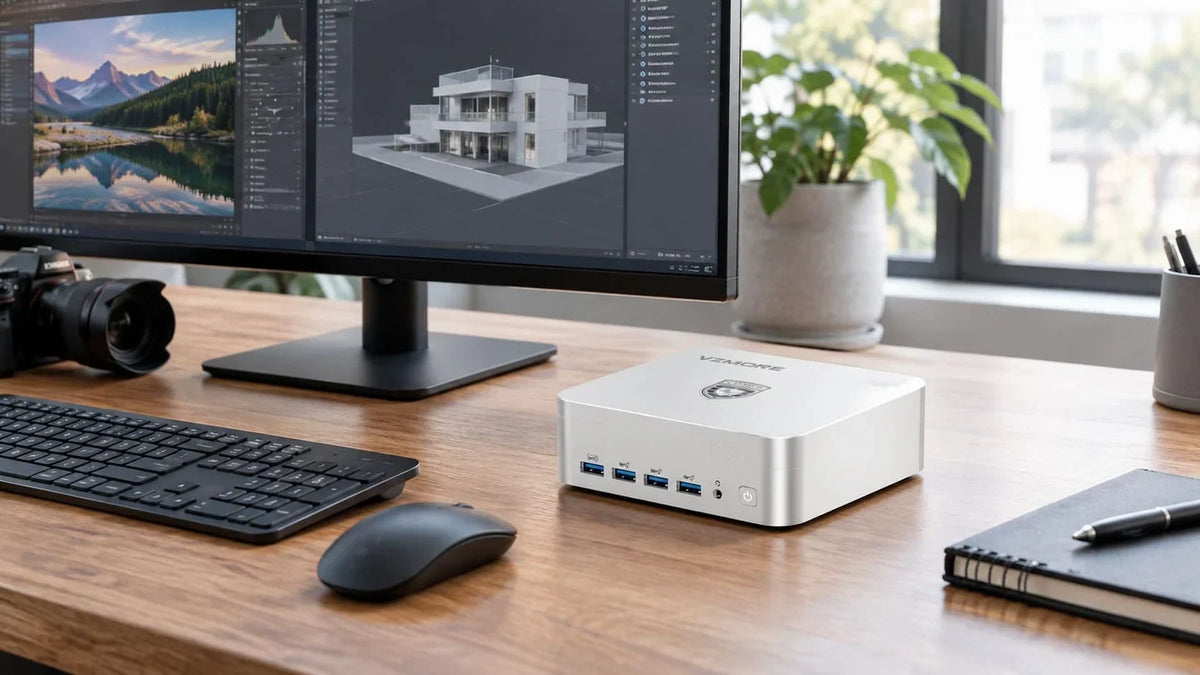
The tower under your desk hums away, hogs space and is overdue for replacement. Which leaves the question architects, photographers and developers alike are asking: can a mini workstation handle my projects, my software and my working day? The answer depends less on the case than on your own workload. This article looks at CAD, photo editing, software development, data analysis and video editing one by one – and is upfront about the limits.
TL;DR
• For photo editing, 2D CAD, software development and data analysis, a current mini PC is enough for most offices.
• What matters is sustained performance, memory and cooling – not the peak figures on the spec sheet.
• Large 3D assemblies, GPU rendering and AI training still call for a dedicated graphics card.
• Spending ten minutes in Task Manager before you buy leads to a better decision.
What makes a workstation – and why case size is secondary
A workstation is defined by what it promises to deliver, not by its case. It needs to run stably under load for hours on end, offer enough memory for large projects, provide fast storage and drive several monitors. Whether that happens in 20 litres or in just under one litre makes no difference to the software.
What matters is sustained performance: the level a processor can hold for an entire render, not just for a few seconds. This is where cooling decides whether a compact system can keep up.
One term crops up again and again in the workstation world: ISV certification. This is where a software vendor such as Autodesk tests specific hardware, including drivers, and confirms that its programs run on it without issues. In its hardware certification FAQ, Autodesk warns explicitly:
“Hardware that is not Recommended or Certified may not adequately support advanced product features”
For many offices, this isn't an obstacle – but for some clients it is.
Know your workload first: three questions to ask before you decide
Before comparing spec sheets, it's worth taking an honest look at your own work. Three questions quickly bring clarity:
• Does most of your computing happen on the processor (CPU) or the graphics unit (GPU)?
• Does your computer run at full load for minutes or for hours at a time?
• How much memory does your largest project use?
Windows itself will give you the answers. During a typical project, press Ctrl + Shift + Esc to open Task Manager and switch to the Performance tab. There you can see CPU, GPU and memory usage in real time. Resource Monitor (type “resmon” into the Start menu) also shows how much memory each program is using.
If the CPU graph is often maxed out but the GPU barely moves, you're a clear candidate for a compact system. If the GPU is constantly at its limit, there's a strong case for a tower.
What a mini workstation can do in day-to-day work, profession by profession
Architecture, engineering and CAD
In a design practice, work ranges from 2D floor plans to full BIM models (Building Information Modelling – digital building models containing all component data). 2D drawings put little strain on a system. Things get more demanding with 3D models and point clouds from laser scans.
For AutoCAD 2027, Autodesk lists 16 GB of RAM and 2 GB of graphics memory as the baseline, with 32 GB of RAM recommended. For large datasets and point clouds, however, it calls for 12 GB of graphics memory and a workstation-class graphics card. For Revit 2027, Autodesk scales memory to model size: 16 GB of RAM for projects up to about 300 MB, 32 GB up to around 600 MB, and 64 GB up to about 1 GB. Vectorworks 2026 recommends 16 GB of RAM and 4 GB of graphics memory for mid-range use.
A mini PC's integrated graphics share system memory with the processor. With 64 GB of RAM or more, there's plenty of headroom for mid-sized models.
Verdict: Yes for 2D CAD and moderate 3D. Large assemblies, point clouds and projects that require certified hardware only with limitations.
Photography and photo editing
Photographers import RAW files, tag them with keywords, then develop and retouch them. That mainly taxes the processor, memory and storage. A built-in SD 4.0 card reader also saves you an external adapter.
Adobe requires 8 GB of RAM for Photoshop and recommends 16 GB or more, plus 4 GB of graphics memory for 4K monitors and an SSD. Lightroom Classic gets by with similar figures. For AI features such as Denoise, Adobe specifies 8 GB of dedicated or 16 GB of shared graphics memory. This is exactly where a mini workstation with generous RAM plays to its strengths, because the integrated GPU benefits from the shared memory.
A fast second SSD slot is ideal as a scratch disk for Photoshop or for storing your catalogue. You can read more about creative workflows in our article on mini PCs for content creators.
Verdict: Yes – a compact workstation for photo editing is very much achievable today.
Software development, containers and virtual machines
Developers work across an IDE (integrated development environment), browser, terminal and several containers at once. Here, core count and memory matter more than graphics.
Docker Desktop for Windows requires 8 GB of RAM and a CPU with virtualisation support. For Hyper-V, Microsoft specifies at least 4 GB of RAM and Windows 11 Pro. These are minimums for the host. Each virtual machine needs its own memory on top – and three VMs with 8 GB each will quickly fill 32 GB.
Two to four monitors are standard in many teams. USB4 and HDMI 2.1 cover that without a docking station.
Verdict: Yes, as long as the memory can be upgraded. If you run a large number of VMs in parallel, you'll hit limits.
Data analysis and local AI models
Analysts work with Python, R or Power BI and keep datasets in memory. Local language models also load their weights into memory. LM Studio recommends at least 16 GB of RAM. With 64 GB or more, even mid-sized models run smoothly on an integrated GPU with shared memory. The NPU (Neural Processing Unit, a processor dedicated to AI tasks) takes further load off for transcription or image features.
Verdict: Well suited. Very large datasets and training your own models are where the limits lie.
Video editing
For Premiere, Adobe recommends 32 GB of RAM for 4K footage and 8 GB of graphics memory. DaVinci Resolve 21 lists 16 GB of RAM and at least 4 GB of graphics memory, rising to 16 GB for the advanced AI tools. Hardware encoders for H.265 and AV1 speed up exports, even without a dedicated graphics card.
Verdict: Suitable for many 4K projects, with limitations for complex colour grading and heavy effects.
|
Workload |
Mini workstation |
A tower makes sense if … |
|
Photo editing |
Very well suited |
Rarely needed |
|
2D CAD, moderate 3D |
Well suited |
Very large assemblies |
|
Development, VMs, containers |
Well suited |
Lots of VMs running in parallel |
|
Data analysis |
Well suited |
Very large datasets held in RAM |
|
4K video editing |
Suitable for many projects |
Complex colour grading/effects |
|
GPU rendering, simulation, AI training |
Limited |
Yes |
Where the limits lie
A mini PC has no dedicated graphics card. If you work with GPU renderers such as V-Ray or Redshift, run fluid simulations or train AI models, you need dedicated graphics memory and several hundred watts of graphics power. No compact case can deliver that.
Then some projects require certification. If a client insists on ISV-certified hardware, most mini PCs are ruled out. And if you need more than 256 GB of memory, or ECC (error-correcting) memory, a tower remains the better choice.
Sustained load in practice: what our tests show
Peak figures on a spec sheet say little about a real working day. A processor that throttles back after two minutes loses performance exactly when an export is running. This behaviour is known as thermal throttling. A more meaningful figure is the power draw a system can sustain over time.
In VZMORE's lab test on 12 August 2026, both top configurations ran under sustained full load at an ambient temperature of 25 °C:
|
Measurement |
AMD Ryzen AI 9 HX 470 |
Intel Core Ultra 9 185H |
|
CPU power (peak/average) |
80 W / 65 W |
80 W / 65 W |
|
Average CPU temperature |
83 °C |
89.7 °C |
|
Chassis top cover temperature |
35.7 °C |
34.5 °C |
|
Noise level |
42 dBA |
40 dBA |
VZMORE lab test, 12 August 2026, 25 °C ambient temperature, sustained full load
Both systems held an average of 65 W, and all chassis temperatures stayed within specification. This is made possible by a vapour chamber – a flat evaporation chamber that spreads heat over a larger area than conventional heat pipes.
Read more: Vapour Chamber vs. Heat Pipe
A quiet place to work: noise and desk space
Focused work needs peace. In the UK there's no specific legal noise limit for offices – the Control of Noise at Work Regulations 2005 only require action from 80 dB, a threshold aimed at factories and building sites rather than desks. For concentration, though, the quieter the better. The 40 to 42 dBA we measured under full load is comparable to a quiet library, and in everyday office use the fan runs even more quietly.
At just over 13 cm across, the device also disappears behind your monitor or onto a VESA mount. If fan noise is bothering you, our article Why Is My Mini PC So Loud? explains what helps.
Checklist: how to find the right mini workstation
• Memory: At least 32 GB, ideally 64 GB. Look for SO-DIMM slots so you can upgrade later – soldered memory can't be expanded.
• Two M.2 slots: Keep your system and project data separate, or use the second SSD as a scratch disk.
• USB4 at 40 Gbps: For fast external storage and monitors over a single cable.
• Two 2.5G LAN ports: Useful for NAS access and separate networks.
• Monitors: Check how many displays are supported, and at what resolution.
• Sustained performance: Ask about wattage under sustained load. The boost clock alone tells you little.
• Warranty: Three years should be standard for a work machine.
Which VZMORE model suits which profession
Every model in our range of VZMORE mini PCs offers two USB4 ports, an SD 4.0 card reader, Wi-Fi 7 and a three-year warranty.
AX9 Max
AMD Ryzen AI 9 HX 470
The first choice for photo editing, CAD, running multiple applications at once and local AI. Up to 256 GB of DDR5 RAM, two SSD slots, two 2.5G LAN ports and support for up to four displays.
iX9 Max
Intel Core Ultra 9 185H
For intensive multitasking and Intel-optimised software. Its 24 GB of LPDDR5 memory is soldered, so check your memory requirements before you buy.
AX7 Max
AMD Ryzen AI 7 Pro 450
For businesses and development work, with AMD PRO security features and remote management via DASH. Up to 256 GB of RAM.
iX7
Intel Core Ultra 7 356H
The entry point for professional applications, with a PCIe 5.0 SSD slot and up to 128 GB of RAM.
Frequently asked questions (FAQ)
Does CAD software run on a mini PC?
Yes – AutoCAD, Revit and Vectorworks all run on current mini PCs. For 2D plans and mid-sized 3D models, integrated graphics with sufficient RAM are enough. Large assemblies and point clouds need a dedicated graphics card.
How much memory does a workstation need?
32 GB is a solid starting point for most professional applications. For 4K video editing, large Revit models, virtual machines or local AI, 64 GB or more is advisable.
Is a mini PC suitable for continuous operation?
Yes, provided the cooling is designed for sustained load. In VZMORE's lab test, both top models held an average of 65 W without exceeding the chassis specification.
Can I connect several 4K monitors?
Yes. Via two USB4 and two HDMI ports, VZMORE models can drive up to four displays – the iX9 Max, for example, supports four 4K monitors.
Conclusion
For photographers and image editors, a mini workstation is now a fully fledged solution. Design practices working with 2D CAD and moderate 3D models can be just as productive with one. Developers and data analysts benefit above all from plenty of upgradable memory. For video editing, performance is sufficient for many 4K projects. If you rely on GPU rendering, simulation or certified hardware, however, a tower is still the way to go.

VZMORE is a leading manufacturer of AI Mini PCs. Our systems combine whisper-quiet VC cooling, high performance, and intelligent AI processing power—tailored for demanding applications in home offices, creative workflows, and edge computing. Enjoy free shipping on all orders.
Related Articles

Subscribe to Newsletter
Get the latest news, product updates, and exclusive offers delivered straight to your inbox.